Why the "Use Your Existing Cameras" Pitch Needs Scrutiny
One of the strongest selling points for camera-based observability platforms is the ability to connect to the IP cameras an industrial facility already has, avoiding the cost and disruption of a hardware refresh. In many deployments, this is genuinely true. In others, it is technically true but operationally incomplete — the cameras are connectable, but their placement, resolution, or field of view limits what the vision system can usefully detect.
Operations teams evaluating a computer vision deployment should approach the "works with existing cameras" claim with a specific set of questions, not a blanket acceptance. The difference between a deployment that delivers value on day 30 and one that underperforms for six months often comes down to the camera infrastructure assessment that happened — or didn't happen — before the contract was signed.
Question 1: What Protocol Do Your Cameras Actually Speak?
The two dominant protocols for IP camera connectivity in industrial environments are RTSP (Real Time Streaming Protocol) and ONVIF (Open Network Video Interface Forum), with ONVIF providing a higher-level interoperability layer on top of RTSP for camera discovery and control. Most IP cameras manufactured in the last 10 years support at least one of these. The complication is that ONVIF compliance varies substantially across manufacturers and firmware generations — a camera that claims ONVIF Profile S compliance may still require manual credential configuration and firmware-specific stream path parameters that are not documented in the camera's standard manual.
Before any vision platform deployment, run a camera discovery audit. Connect to each camera's RTSP stream directly using a video player (VLC handles RTSP natively) and confirm that the stream is accessible, continuous, and at the expected resolution. If your VMS is Milestone XProtect or Genetec Security Center, check whether the cameras are already being accessed in profile mode or in direct RTSP mode — this affects how a computer vision layer will connect. Cameras that the VMS can reach but that require proprietary SDK access may need an intermediate transcoding step.
Question 2: Do Your Cameras Cover the Zones That Matter?
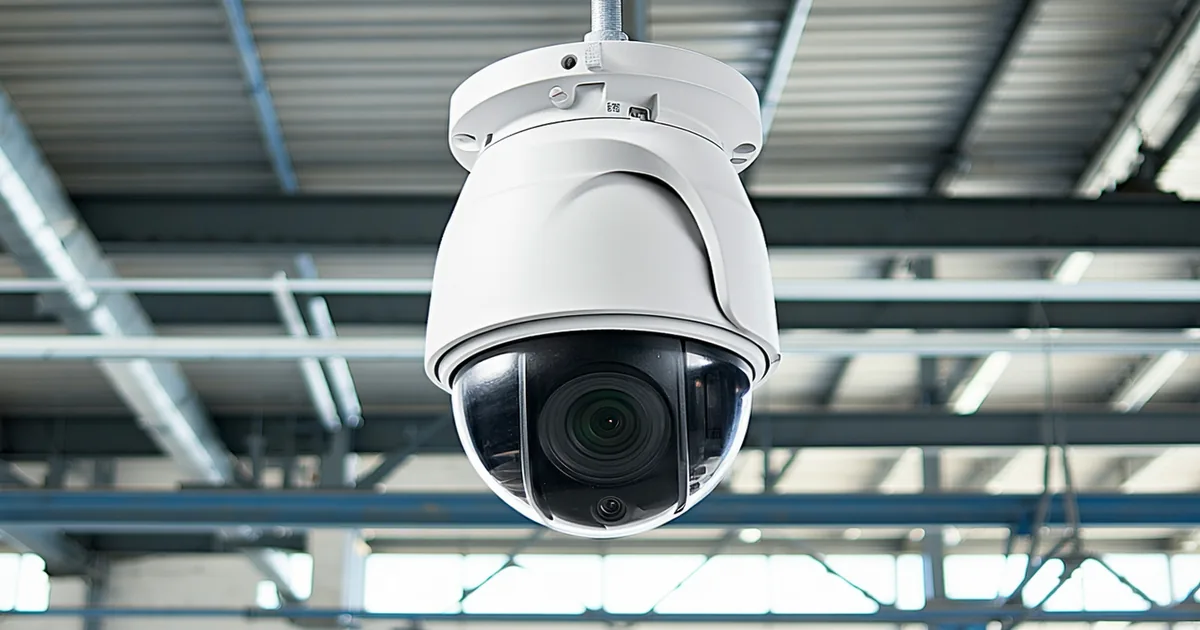
Existing camera placement was almost certainly designed for security surveillance, not process monitoring. Security cameras are placed to maximize perimeter coverage and to capture recognizable facial images for identification purposes. Process monitoring cameras need to cover specific operational zones at angles that allow the vision system to determine equipment state, worker position within the zone, and PPE item detection.
The practical difference is substantial. A security camera mounted at 12 feet looking across a factory floor at 30 degrees from horizontal captures a wide field of view that is useful for identifying people who have entered a zone but not for determining whether a worker at a press brake is wearing safety glasses. PPE detection typically requires a camera viewing workers at an angle that captures the upper body and face — achievable from a camera mounted at 8 to 10 feet at roughly 15 to 20 degrees from horizontal, positioned to cover the operator station specifically.
Request a coverage gap assessment from any computer vision vendor you're evaluating. A credible vendor will map your existing camera positions against the detection requirements for each zone you want to monitor and tell you honestly which zones have adequate existing coverage and which will require camera repositioning or addition of targeted cameras. A vendor who assures you that existing coverage is fine without performing this assessment is skipping a step that will affect deployment quality.
Question 3: What Is the Compute Deployment Model?
Camera-based vision processing generates substantial compute load. The two primary deployment architectures are on-premise edge processing and private cloud processing, each with different infrastructure, security, and operational requirements.
On-premise edge deployment runs the vision models on a server located at the facility, connected to the camera network via the facility's LAN. The advantages are low latency (important if real-time alerting, not just post-shift reporting, is a requirement), no dependency on internet connectivity for core operations, and full local data custody. The requirements are a server with adequate GPU capacity — at minimum a single enterprise-grade GPU for facilities under 20 cameras; dedicated multi-GPU hardware for larger deployments — and IT infrastructure to maintain and secure that hardware.
Private cloud deployment processes camera streams by routing them to a cloud environment that the vendor or the facility controls. This reduces the on-site hardware footprint but introduces bandwidth requirements (streaming 10 cameras at 720p to a cloud endpoint requires consistent upload bandwidth in the range of 10-15 Mbps) and raises data custody questions that some manufacturing facilities, particularly those with defense-related customers or food safety audit requirements, will need to resolve explicitly before selecting this architecture.
Neither model is universally better. The right choice depends on the facility's IT infrastructure, internet connectivity reliability, and data governance requirements. The critical error to avoid is selecting a deployment model based on the vendor's default preference rather than the facility's actual constraints.
Question 4: How Does the System Handle Your Network's Security Zone Architecture?
Industrial facilities with OT (Operational Technology) networks — PLCs, SCADA systems, MES — typically operate those networks on isolated segments separated from IT network infrastructure by firewalls or air gaps. IP cameras are sometimes deployed on the OT network segment because they monitor production equipment, and sometimes on a separate surveillance VLAN that sits between the OT and IT segments.
Where a computer vision server sits in relation to these network zones is a security decision that the facility's IT and OT teams need to make explicitly, not by default. If the vision server needs to access cameras on the OT VLAN and also connect to a cloud management interface for the vendor, the firewall rules required to enable both data flows need to be reviewed by the OT security team before deployment begins. In facilities with ICS/SCADA environments, this review typically needs to go through a change management process that takes two to four weeks.
We are not saying that computer vision deployments in OT-adjacent network environments are problematic — they are deployed successfully in such environments routinely. We are saying that the network architecture question needs to be answered before, not after, the vendor tries to install their processing server and discovers that it cannot access the camera feeds through the firewall as configured.
Question 5: What Does the Onboarding Process Actually Require from Your Team?
Computer vision platforms that operate on zone-based logic require a facility onboarding step where zones are defined — production areas, safety perimeters, restricted zones — against the facility's floor plan. The quality of the zone definition work directly affects the quality of the detection outputs. Zones drawn too broadly capture irrelevant activity and generate excessive false-positive alerts. Zones drawn too narrowly miss the events they were intended to detect.
Most credible platforms complete this onboarding in a single session of two to four hours with an operations manager who knows the facility and the relevant compliance requirements. The session results in a zone definition configuration that can be adjusted as the facility's workflow changes. Confirm that the vendor conducts this session with your team rather than performing a remote configuration that your team then inherits without understanding how to modify it.
Also confirm who owns the rule configuration going forward. When a new product line launches and requires a new restricted zone, can your operations team add that zone in the system UI, or does it require a vendor support ticket? The answer to that question determines whether the deployment remains operationally useful as your facility evolves or whether it calcifies around the conditions that existed at onboarding.
The Pre-Deployment Checklist in Practice
At a plausible scenario of a 180-person contract manufacturer in Ohio evaluating a computer vision deployment for PPE monitoring and equipment utilization tracking, working through these five questions before vendor selection revealed the following: two of 18 production cameras were on ONVIF firmware versions that required a manual stream path workaround; three of the five targeted production zones had existing camera coverage inadequate for PPE detection without repositioning; the facility's OT network change management cycle was four weeks; and the preferred deployment model was on-premise due to a government contract data handling requirement. With that picture complete before the platform evaluation began, the deployment proceeded with a realistic timeline and without mid-project surprises. The alternative — discovering these constraints after signing a contract — is a common source of deployment delays and disappointment that the five questions above are designed to prevent.